We build tools for AI, and AI tools for people.
harlabs makes the infrastructure AI needs to produce real work, and the products people use to work with it. We are starting with video.
harender: HTML in, video frames out.
harender renders web pages straight to video frames, with no browser in between. AI agents already know the web: HTML, CSS, SVG, Tailwind, GSAP. With harender they make video using the same tools, and you can render any frame, in any order, on as many workers as you have.
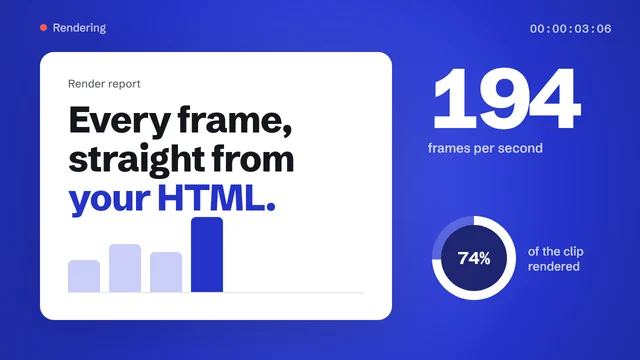
Left of the line, this scene runs as a web page in your browser. Right of it are the frames harender rendered from the same page, with no browser at all: 121 frames in 1.5 seconds on a 2-core cloud machine. Drag the line to compare, or the timeline to scrub.
Write the video as a web page
If you or an AI agent can build it with HTML and CSS, harender can render it. Animation libraries you already use work as they are; harender only needs one function that shows the page at a given time.
- 1
Make the page a function of time
Define
window.seek(ms). With GSAP or Motion it is one line. The same page still plays in Chrome, so you can preview it there.<!-- your scene, any HTML and CSS --> <script> const tl = gsap.timeline({ paused: true }) tl.from('.title', { y: 40, opacity: 0, duration: 0.6 }) window.seek = (ms) => tl.seek(ms / 1000, false) </script>
- 2
Render frames in Node
harender is a Node addon. Each frame is a seek and a render into memory you reuse, so long videos stay flat on memory and split cleanly across workers.
const r = new HtmlRenderer({ width: 1920, height: 1080, scripts: true })
r.load(html, 'file:///project/assets/')
const frame = Buffer.alloc(r.frameByteLength)
for (let i = 0; i < 300; i++) {
  r.call('seek', i * 1000 / 30)
  r.renderInto(frame)          // RGBA, no copy
  ffmpeg.stdin.write(frame)    // your encoder
}
- 3
A real engine underneath
Not screenshots of a browser: harender runs proven open-source components directly. Our fixes for video work are kept as small patches that we plan to offer back upstream.
Stylo Firefox's CSS engineTaffy for flexbox and gridParley for textSkia for painting, on CPU or GPUBoa for JavaScriptBlitz brings them together
The same frame every time
The clock is frozen unless you move it, so rendering the same moment twice gives the same pixels, on one machine or many.
Any frame, any order
Every frame costs the same, so you can render the middle first, re-render one shot, or spread a video over many workers.
No browser to babysit
No Chromium download, no headless processes to keep alive, no capture step. One addon, called from your own code.
Made for AI agents
Agents already write HTML, CSS, SVG and animation code fluently, since the web is a huge part of what they learned from. No new video format to teach them: harender turns their pages into video quickly and repeatably, so an agent can write a scene, check the frames and fix them.
Faster than capturing a browser, and close to identical
Each scene was rendered by harender and by headless Chrome from the same seek(t) function,
then compared pixel by pixel.
| Scene | Match with ChromeMatch | Frames per second | harender fps | Chrome | Speed-upFaster |
|---|---|---|---|---|---|
| GSAP timeline | 38.7 dB | 194 | 30 | 6.5× | |
| Web Animations | 36.6 dB | 193 | 30 | 6.5× | |
| Motion library | 36.1 dB | 180 | 30 | 6.1× | |
| Typography | 32.7 dB | 149 | 30 | 5.0× | |
| Flexbox and grid layout | 33.4 dB | 117 | 30 | 4.0× | |
| CSS keyframes | 34.7 dB | 81 | 30 | 2.7× | |
| Effects: gradients, clipping, SVG | 38.1 dB | 52 | 29 | 1.8× |
1280×720 on a 2-core cloud machine, CPU only (version 0.5). Chrome captured JPEG frames in headless mode. Match is PSNR against Chrome's frame: about 30 dB looks the same at a glance, 40 dB is near identical.
for a 4K frame on an NVIDIA L4 with the experimental GPU backend (Skia on OpenGL, rendered into memory you own). The same scene takes 11.1 ms on the CPU.
What works today
harender is in private pre-release. Here is what it handles today and what we are building next.
Works
- CSS animations and the Web Animations API (element.animate, timing, easing, fill)
- GSAP and Motion timelines
- Flexbox, grid, wrapped and justified text, gradients, shadows, SVG
- Web fonts, gradient text, text shadows, ellipsis
- Arabic, Tamil and Hindi shaping with real fallback fonts
- Transparent output for overlays and compositing
- Worker threads with identical pixels across workers
In progress
- Canvas 2D and WebGL
- Loading assets over the network (local files and data URLs today, which also keeps renders repeatable)
- Outlined text and line clamping
- Prebuilt packages for macOS and Windows (Linux x64 today)
- GPU rendering (working today as an experimental option)
About harlabs
We work in two directions. For AI: infrastructure that lets models make real things, quickly and repeatably. For people: products that turn what AI can do into work you can use.
harender is the first piece. It sits underneath video tools, so a page written by a person or a model becomes video without a browser in the way.
Founded by Harikrishnan.
Ask for early access
If you build video from code, templates or AI, we would like to hear what you are rendering and where browsers get in your way.